
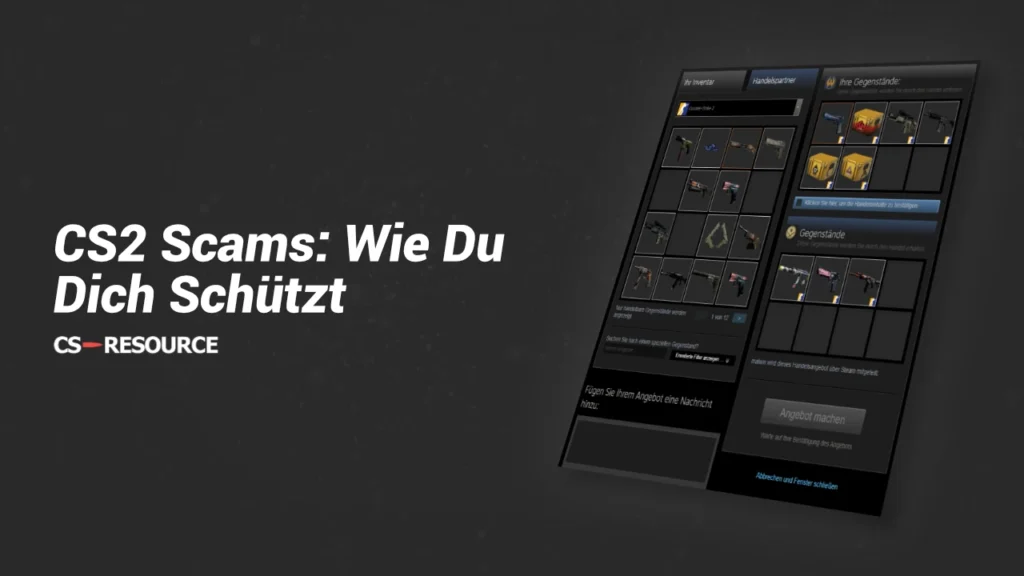
Scams are and always have been a big problem in Counter Strike. For this reason, it is unfortunately important that every skin owner deals with this issue in order to protect their valuable items.
We will first discuss the most important security measures to prevent a scam. Then we will briefly explain all known types of scams so that you can recognize them quickly. Finally, we will give you tips on what you should do if you have fallen victim to a scam.
Steam security measures to avoid being scammed
1. activate Steam Guard (two-factor authentication)
Steam Guard is the best and easiest tool to protect yourself against scammers. Steam Guard activates two-factor authentication, which means that a security code is required in addition to the username and password when logging in on unknown devices.
The Steam Guard code can be received either by email or via the Steam app on your cell phone. We strongly recommend choosing the option with the Steam app on your cell phone, as it offers significantly more security than the email option. If your computer is hacked or a keylogger is installed, the scammers will probably also have access to your email and the two-factor authentication will be useless. It is therefore much better to have Steam Guard on an external device, i.e. your cell phone.
The safest option would even be to use an extra cell phone for Steam Guard, which is not used for anything other than Steam Guard. Consider whether you still have an old cell phone that you can use for Steam Guard.
2. do not click on any links (Steam, e-mail, Discord, etc.)
One of the most important points to protect yourself is not to click on any links. Especially with people you don't know, you have to be careful and should never click on links. But you also need to be careful with friends, as their account could have been hacked or the scammers have done a very good job of replicating your friend's account. Meanwhile, scammers have developed many tactics to convince victims to click on links, both on Steam and Discord, as well as in emails.
Even if the links look official at first glance, this doesn't mean anything. Scammers often use domains that look very similar to the original domains. The pages on the domain are also usually one-to-one copies of the original site, but if you try to log in, the scammers will steal your account details.
Therefore, you should only click on links where you are 100% sure that they are correct and secure.
3. do not log in outside of Steam
If you end up on a website that asks you to log in with your Steam account, you must be very careful. We recommend that you never log in to a website outside of the official Steam pages to ensure that your account data is not stolen.
4. unique and strong password
You should use a strong and unique password for both Steam and your linked email address. A strong password makes it much harder for scammers to crack your Steam account and steal your items. Consider whether you should even use a password manager to use very strong randomly generated passwords.
Also remember never to save your password on your computer or write it down in a text document. If hackers gain access to your computer, they would have direct access to your account.
If you have not yet verified your email with Steam, you should do so immediately to make your account more secure.
5. do not trust strangers
One piece of wisdom we were taught as children is not to trust strangers. Many scammers pretend to be nice people who just want to help you. But always remember, if something looks too good to be true, then it probably is too good.
If you have expensive skins in your inventory, you will certainly have been contacted by people who have offered to play matchmaking with you or similar. However, this only serves to build trust.
These people often offer to buy your skins directly for real money and as soon as you have transferred the skins to them, they withdraw their money and you are left with nothing. Therefore, when trading, you should always use external (trustworthy!) services that offer you security when trading, even if they charge fees.
6. check profiles
As we explained in point two, scammers often try to pretend to be someone you know. It is important that you always pay close attention to whether the person is really who you think they are. If you are not sure, call the person and ask them directly to confirm that they are the right person.
This point is particularly important if you are trading skins, as scammers often become aware of their victims via trading platforms. Scammers can obtain a relatively large amount of information about you via trading platforms and tailor the scam perfectly to you, so great caution is always advised.
7. only log in to Steam on secure computers
This point is actually self-evident, but we wanted to emphasize it once again. Logging in to Steam on unfamiliar setups, such as in an Internet café, poses a great risk to the security of your account. Foreign computers can be infected with viruses or keyloggers that steal your account data, allowing scammers to gain easy access to your account.
Types of scams - What methods CS2 skin scammers use
Nowadays, there are countless different ways in which scammers operate. The following list contains the best known and most common types of scams. Remember, however, that this list is not exhaustive, as scammers are constantly developing new methods to steal skins.
- Phishing scam - In a phishing scam, the fraudsters try to get you to log in to a fake website in order to steal your account details. Fake Steam or tournament sites are often used for this.
- Software Scam - The aim of the software scam is to install a virus such as a keylogger on your computer in order to steal your account data.
- Credit scam - The credit scam is one of the oldest scams. The scammers send you a trade request with the message that you will receive Steam credit (which of course you will never receive) if you accept the request.
- Identity (Impersonation) Scam - Scammers create a Steam account that looks very similar to an account of your friends or a Steam employee. They then write to you and ask for your account details or skins.
- Paypal Scam - Scammers offer you real money for your skins on Steam. In most cases, it is far too much money for the skins and they actually send you the money. If you then send them your skins, they will withdraw their money to PayPal and you will have lost your skins.
What to do if you have been scammed?
You should take the following steps immediately if you have fallen victim to a scam:
- Step 1: Try to keep your Block Steam accountto prevent further damage.
- Step 2: Think about what could be the cause of the scam. Have an antivirus software scan your computer. Remove any viruses or keyloggers from your computer to prevent damage to other areas such as your bank account or PayPal account.
- Step 3: If still possible, try to change your Steam and email password. Ideally, you should use a different computer for security purposes.
- Step 4: If possible, generate new Steam Guard backup codes and revoke authorization from all devices.
- Step 5: If it is still possible, remove API keys from your Steam account.
- Step 6: Contact Steam support. Describe your situation and think about how you can prove that the Steam account belongs to you.
- Step 7: Once you have got your Steam account back, change all your account details on a secure device to be on the safe side.
Also remember that a scam can go further than just your CS2 skins. You should reset all passwords to be on the safe side and really make sure that there is no virus on your computer.
 English
  German
  French
  Spanish
  Russian
  Ukrainian
  Polish
  Swedish
  Turkish
  Portuguese
  Chinese